


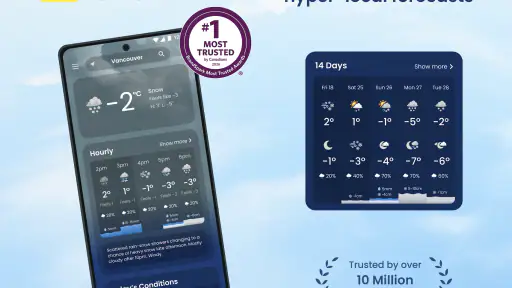
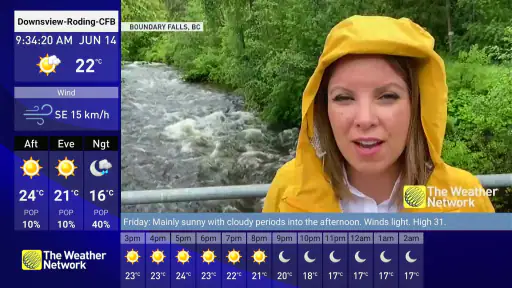
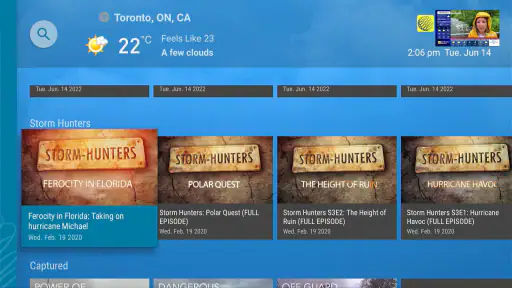
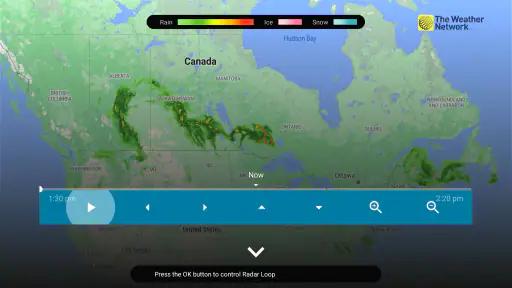
Weather apps are easy to judge too quickly. A temperature on a screen looks simple, but the real test comes when I am deciding whether to leave early, carry an umbrella, change a commute, or postpone an outdoor plan. I spent time with The Weather Network TV App, a free weather app from The Weather Network & MétéoMédia, and found that its value depends less on decoration than on how comfortably it fits into those small decisions.
This is an Android app in the weather category, aimed at a broad audience rather than a specialist forecasting crowd. It is available at no cost, carries an Everyone content rating, and supports devices running Android 5.0 or later. The current version is 4.4.5, while the app itself dates back to August 12, 2015. That long presence gives it a familiar, established feel, although the average rating of 3.0 from around 2.6 thousand ratings suggests that the experience is not equally smooth for everyone.
My overall impression is cautious but useful. I would recommend it to someone who wants a recognizable source for everyday weather checks and prefers a weather service connected to television coverage. I would not automatically choose it for someone who wants the lightest possible interface, highly technical forecasting tools, or complete control over every privacy and notification decision. The important question is not whether it can show weather; it is whether its presentation and controls suit the way you personally check weather.
What the app feels like in everyday use
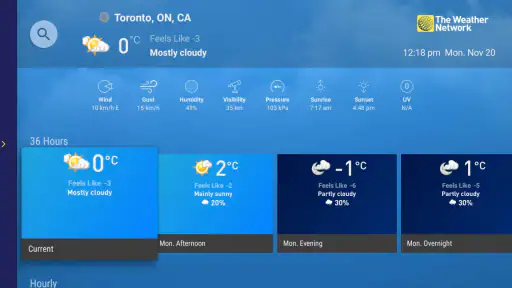
The app’s strongest role is as a quick reference point. I can imagine opening it before walking to work, checking conditions before driving across town, or looking at the forecast while planning a weekend errand. Those moments do not require a meteorological dashboard. They require information that is easy to find, readable at a glance, and relevant to the place I care about.
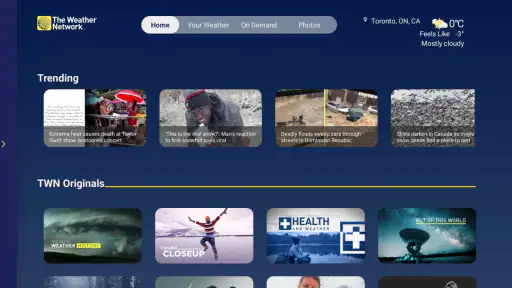
That television connection shapes the app’s identity. The Weather Network & MétéoMédia is not presented as an anonymous utility, and the TV App wording makes it feel like a digital extension of a familiar weather brand. For users who already recognize that service, this can make the app feel more approachable than a completely unfamiliar forecast tool. It also means the experience may appeal to people who like weather information presented as a service rather than as a collection of raw charts.
I would still separate familiarity from guaranteed accuracy. A known name can make an app easier to trust, but it does not remove the need to compare a forecast with actual conditions. Weather changes quickly, especially around storms and temperature transitions. I use any weather app as a planning aid, not as a promise that every hour will unfold exactly as shown.
The app is also a practical option for households with different levels of technical comfort. The Everyone rating and older Android support make it more accessible than apps that demand newer hardware. That does not mean every older phone will feel equally fast or comfortable, but it does make the app relevant to people who keep a device for several years instead of upgrading frequently.
Why the audience matters more than the feature list
For a daily user, the most useful test is whether the app reduces hesitation. If I am standing by the door and wondering whether a jacket is enough, I want a quick answer rather than a long research session. If I am arranging a school pickup, I want to check the forecast without turning the task into a technical exercise. This is where a mainstream weather app can be more useful than a specialist service filled with atmospheric maps.
On the other hand, a casual design can feel limiting when I need deeper context. A cyclist planning a long route, a gardener watching overnight temperatures, or someone working outdoors may want more detail than a standard overview provides. Those users should judge the app by the depth of information they can comfortably access, not by the convenience of the first screen.
One practical habit I found helpful is to use the app at two different times: once in the morning for the broad plan and again shortly before leaving. That avoids treating an early forecast as fixed. It also makes the app part of a decision routine instead of something I consult only after the weather has already become a problem.
Trust begins with visible choices
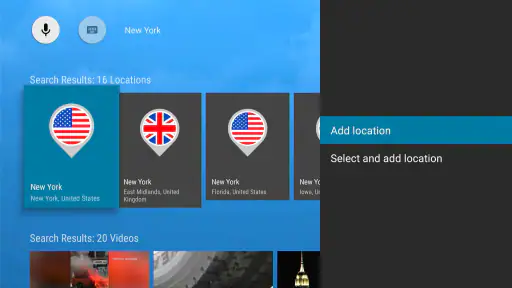
Weather information is personal in a quiet way. To make a forecast useful, an app may need to know which place matters to me, whether that is a home location, a workplace, or a destination. I pay attention to what the app visibly asks me to choose and whether those choices feel understandable. A weather service earns trust when I can tell what I am selecting and why that selection changes the experience.
That is different from assuming that a familiar brand automatically deserves unlimited access. I prefer to review permission prompts carefully, especially when an app asks for location access. If I only need conditions for a city I can search or select manually, I would rather use that visible choice than grant location access without thinking. If I want weather based on where I am now, location access may be convenient, but I still want the operating system’s permission screen to explain the decision clearly.
I do not treat the app’s weather purpose as a reason to ignore account or privacy controls. Before settling into regular use, I would look through the app’s settings and the Android app-permission page, then decide whether notifications, location, and any account-related options match my needs. This is not a criticism unique to this app; it is simply the right way to handle a service that can become part of a daily routine.
The app’s free price lowers the barrier to trying it, but free does not mean frictionless. I still judge an app by how much attention it requests, how clearly it presents choices, and whether I can use its core purpose without feeling pushed into settings I do not want. Those details matter more to me than a polished first impression.
Handling location without giving away more than necessary
Location is the most sensitive everyday moment for a weather app. When I am at home, an automatically detected location may save time. When I am traveling, it may be useful to see local conditions without searching. But there are also times when I would rather check a selected city manually, particularly if I am comparing a destination with my current surroundings.
My preferred workflow is simple: start with the least revealing option that still gives me the forecast I need. If a manually selected location works, I use it. If automatic location is genuinely more convenient, I review the permission choice and keep an eye on whether the app continues to behave as expected. I would also revisit that decision after an update, because app settings can change over time even when my use case has not.
This approach gives me more agency than treating location access as an all-or-nothing requirement. It also helps distinguish a real need from a habit. Someone who checks only one city may have no reason to enable location, while a commuter moving between several places may reasonably prefer it. The right choice depends on the workflow, not on a blanket rule.
Notifications deserve a deliberate setup
Weather notifications can be useful when they help me notice a meaningful change before I leave. They can also become noise if they arrive too often or at inconvenient times. I would not enable every alert immediately. I would first use the app for ordinary forecast checks, then decide whether notifications solve a real problem in my routine.
For example, a person who works outdoors may appreciate timely warnings, while someone who only needs a morning temperature may prefer no interruptions at all. I would review Android notification controls as well as the app’s own settings, because the phone’s system controls are the final place where I can silence or limit unwanted prompts.
A useful test is whether an alert changes an action. If it does not affect what I wear, when I travel, or whether I reschedule something, it probably does not deserve a prominent place in my day. That is a small but important distinction: a weather app should support decisions, not create a second stream of distractions.
A realistic morning scenario
Imagine a weekday when I have to walk to a train station, take public transport, and spend part of the afternoon outside. I would open the app before breakfast, check the current conditions and the broader forecast, and make a first decision about clothing. I would then check again before leaving, because the later view is more relevant than the one I saw while getting ready.
If the conditions look unsettled, I would use the app as a prompt to build flexibility into the plan: leave a little earlier, carry rain protection, or choose an indoor alternative. I would not use a single displayed number as proof that the entire day is safe or unsafe. The practical strength here is the speed of the routine, not a guarantee of perfect certainty.
For a traveler, I would select the destination before the trip rather than waiting until arrival. That lets me compare the place I am leaving with the place I am going and avoid confusing local conditions with destination conditions. This is a small workflow improvement, but it prevents one of the most common weather-app mistakes: checking the wrong location while assuming the result applies elsewhere.
Where it compares well, and where it does not
Compared with a phone’s built-in weather panel, this app feels more like a dedicated weather service than a glanceable system widget. That can be an advantage when I want a fuller weather experience or prefer the identity of The Weather Network & MétéoMédia. The built-in option may still be better for someone who wants the fewest taps and no separate app to maintain.
Compared with highly specialized forecasting apps, this one is easier to approach for ordinary planning. Specialist alternatives can be better for radar interpretation, detailed wind work, outdoor sports, or technical weather analysis. I would choose those alternatives when a forecast needs to support a safety-critical or professionally important decision. For routine errands and general awareness, the mainstream approach is less demanding.
Compared with a television broadcast, the app offers a more personal way to check weather when it suits me. I do not have to wait for a scheduled segment or be in front of a television. The trade-off is that an app requires me to open it, configure it, and manage its permissions and notifications. A broadcast can feel more passive; the app gives me more control over when I look.
The average rating of 3.0 is worth considering alongside those comparisons. It does not tell me exactly which problems affected other people, but it does signal that the experience has not been universally satisfying. I would treat that as a reason to test the app on my own device before making it my only weather source, especially if I am sensitive to interface friction or performance issues.
Small habits that make the experience better
First, I would keep the location list focused. Adding every place I might visit can make the app harder to scan, while keeping only home, work, and the next destination makes comparisons faster. A short list is especially useful when I am checking conditions under time pressure.
Second, I would avoid judging the forecast from a single glance. I look at the current situation, the upcoming period, and the timing of any expected change. That helps me decide whether I need immediate protection or merely a backup plan later in the day.
Third, I would separate convenience from necessity when reviewing permissions. If manual location selection meets my needs, I would keep the experience manual. If automatic detection saves meaningful effort, I would enable it intentionally and revisit the choice occasionally. This gives me a clearer understanding of what the app is doing for me.
Fourth, I would use notifications sparingly. The best alert is one that reaches me before a decision becomes urgent. A stream of low-value updates can make me ignore the one notification that actually matters, so I would prefer a quieter setup and rely on the app itself for routine checks.
Finally, I would keep another source available for serious situations. No single consumer weather app should replace official emergency guidance or local authorities during dangerous conditions. The Weather Network TV App can help me prepare, but it should not be my only reference when the consequences of a wrong decision are high.
Who should install it
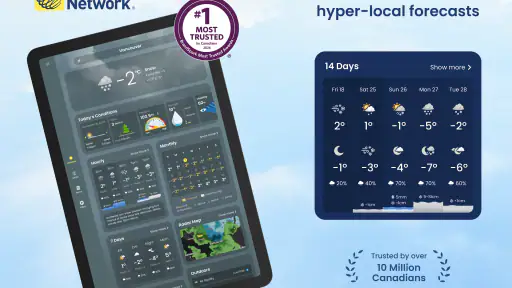
I think this app suits people who want a familiar, general-purpose weather service that is free and accessible on older Android hardware. It is a reasonable fit for everyday commuters, families checking plans, travelers comparing locations, and users who already recognize The Weather Network & MétéoMédia name. The one-million-plus install mark also shows that it has reached a substantial audience, though popularity alone should not decide whether it fits your habits.
I would be more hesitant to recommend it to someone who wants a minimal widget-only experience, advanced meteorological detail, or strict control without spending time reviewing settings. A person who dislikes notifications or location prompts should begin with a deliberate permissions check rather than accepting every choice automatically. Someone who needs highly specialized outdoor forecasting should compare it with an app built around that activity.
The age rating of Everyone makes it broadly suitable from a content perspective, but that should not be confused with a promise that every user will enjoy the interface. Older devices may meet the minimum Android requirement and still differ in speed, screen size, or battery behavior. I would install it, test the basic routine, and decide based on how quickly I can reach the information I actually use.
My cautious verdict
I see The Weather Network TV App as a practical, recognizable weather companion rather than an all-purpose forecasting authority. Its free access, broad compatibility, and connection to The Weather Network & MétéoMédia make it easy to try. Its main value is helping me make ordinary plans with less uncertainty, especially when I use it as part of a repeatable morning-and-before-leaving routine.
My recommendation comes with boundaries. I would review location and notification choices instead of enabling them automatically, keep selected places organized, and avoid treating a displayed forecast as a certainty. I would also keep an alternative source available for severe or high-stakes conditions. The best reason to use this app is convenience with conscious control, not blind trust.
For a friend who wants a straightforward weather app from a familiar Canadian weather brand, I would say it is worth trying. I would also say to give it a fair test on your own phone, because the modest average rating suggests that personal experience matters here. If the app makes your daily checks faster without creating unwanted interruptions, it can earn a place in your routine. If you need deeper tools or a quieter, more private-feeling workflow, another weather option may serve you better.


